
Managing your members, finally made simple.

Your members, classes and bookings in one warm little app.

weekbase brings your members, classes and bookings into one warm little app, so you spend less time on admin and more time with the people in the room.

Overview

Your whole week on one screen

Today’s sessions and how full they are, who is coming, and every tool one tap away, on your phone too.

  • Today, with the places left in every session
  • One search for members, classes and holidays
  • Insights and an assistant that point to what needs you
Inviting members

It takes five seconds

Share a link or show a QR code. New members land in your class with nothing to install and nothing to set up.

1

Tap Invite member

From your class, open the invite. A link and a QR code appear immediately.

2

Show the QR or share the link

Hold the code up at the door, or send the link in a message. Either works.

3

They land straight in your class

They join in a tap and can book the next session right away.

Your team joins with its own code, so nobody lands among your members by accident.
One-week invites

Invite someone for a single week

Whoever opens the link sees only that week and books up to your weekly limit.

Choose the classes and the week, then share the link. Whoever opens it signs in, sees only that week and can book up to your weekly limit. After Sunday their access ends by itself, so there’s no one to remove.

  1. 1
    Choose classes and a week
    This week, next week or a few weeks ahead. You see how many sessions run, with holidays already taken out.
  2. 2
    Share the link
    Paste it into a message, or let them scan the QR code at the door.
  3. 3
    They book that week, then access ends
    No bookings after Sunday; past sessions stay on their account. To keep them, tap Make ongoing member.
Open Pass

Next week’s open spots, offered every Sunday

Pick the members once. Every Sunday weekbase opens the next week to them and lets them know by email.

Open Pass is a group of members you pick, plus the classes they may book. Every Sunday at 18:00 (you choose the day and time), weekbase lets them book the following Monday to Sunday and tells them by email and app notification. Classes they already attend stay as they are.

  • Add members once; there’s no link to send each week
  • Nothing is held back: they book spots still open
  • Skipped if holidays close every class; they’re told
  • Remove someone and no further weeks are sent
Holidays

Close for the holidays in one step

Enter the dates once. Those sessions are cancelled and booked members get an email.

Enter each holiday’s dates once, for all your classes or only some. Regular sessions on those days are cancelled and every booked member gets an email. A cancelled booking doesn’t use up their weekly limit.

Running a catch-up class?
Add a one-off session on any holiday day. Regular members and anyone with a pass for that week can book it.
One-to-one sessions

Private sessions, booked inside your hours

Set your weekly hours. Members pick a start time inside them, like any class.

Set the hours you give one-to-one sessions each week. Members pick a start time inside them, and it’s joined, limited and cancelled like any class.

  • The same invite and weekly limit as your classes
  • Once a time is booked it’s gone: no double bookings
  • Confirm each request first, if you want to
  • Let your team set their own hours, if you allow it
Pro

Pro grows it. Add it any time, and nothing in Free moves behind it.

Business page

A page for your class, built from one sentence

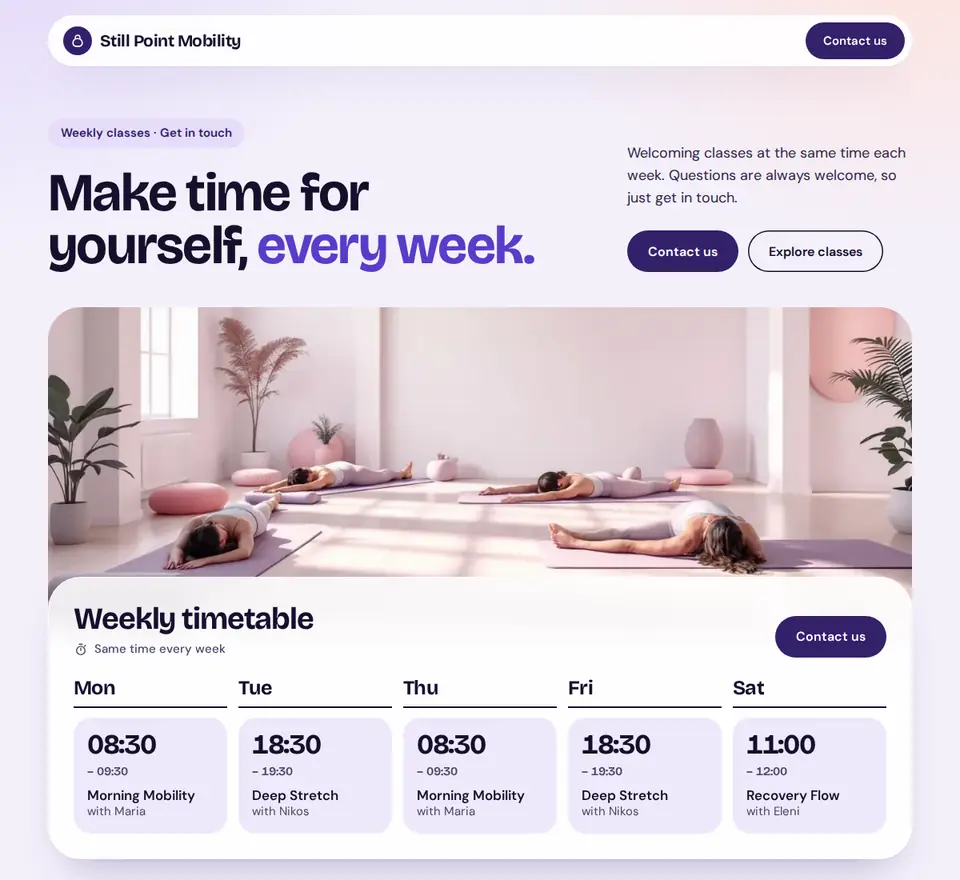
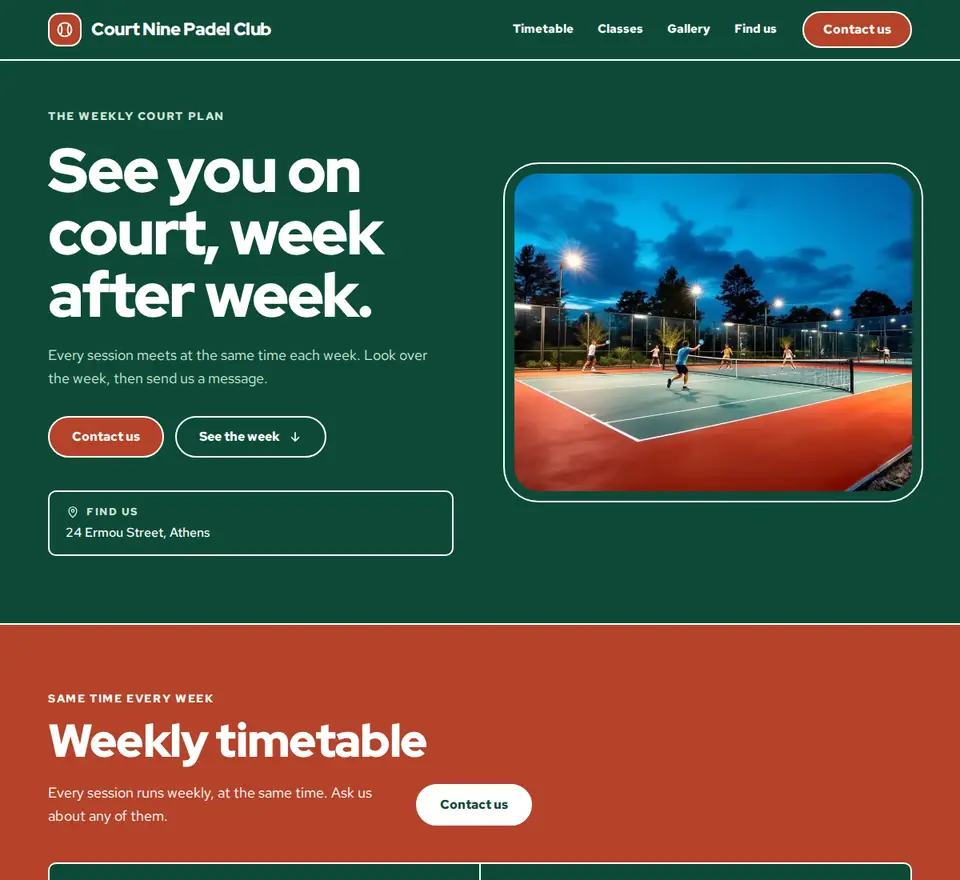
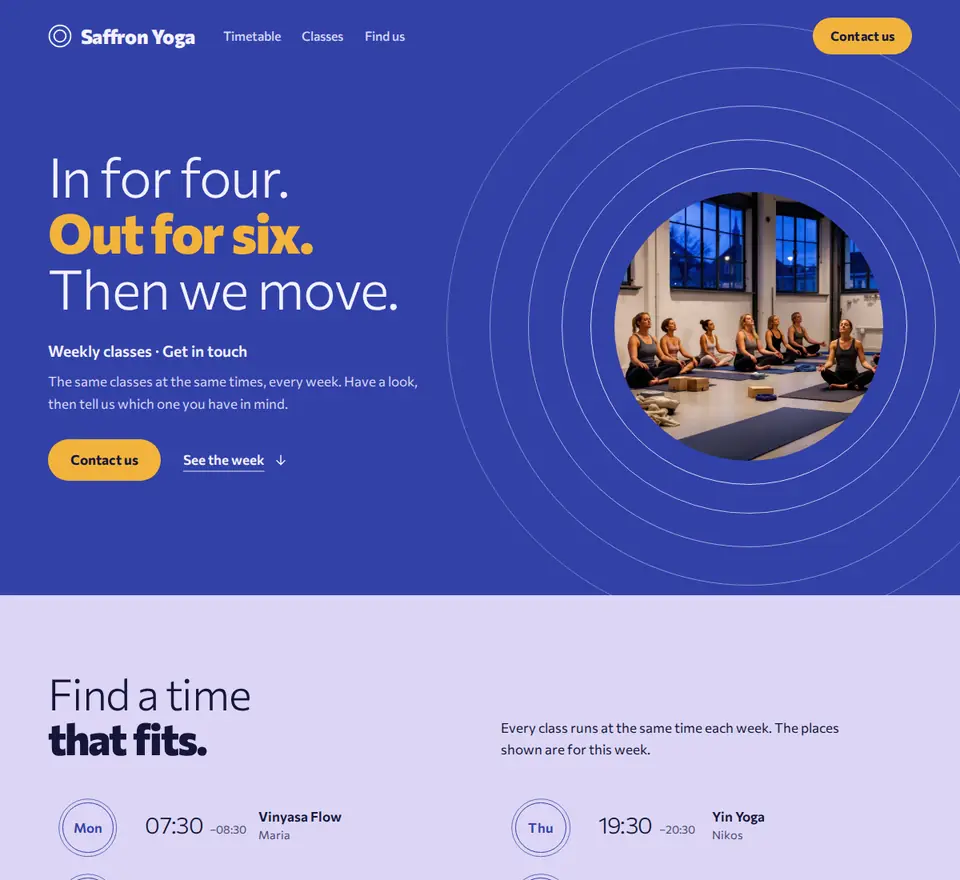
Describe your place. The assistant picks a look, writes the words and puts your classes on it, with this week’s places, live.

  • Twenty starting designs, with photos until yours are in
  • Point at anything on the preview and say what to change
  • Visitors press Contact us, and it lands in Messages
The assistant, without a limit

Ask as much as you like.

It answers on every page and proposes changes that wait for your OK.

Messaging your members

Write to one member or a whole class

Replies land in Messages, next to what visitors send from your page, and you can see who has read it.

Everything in one place

The admin side of your studio, handled

From the first hello to their hundredth class, weekbase keeps every member and every booking quietly in order.

This week7 classes
M
2
T
1
W
1
T
F
2
S
1
S
Mon 7:00 AM · Sunrise Yoga12/12
Tue 9:15 AM · Yoga Doux8/12
Fri 6:30 PM · Stretching9/14

Your week at a glance

Set a class once and it repeats. Every booking, day by day.

  • Weekly limits and cancellation cutoffs
  • Each class in its own time zone
  • Export everything, any time
  • Works in any browser, no app store
  • 17 languages, front and back
Pricing

Free for your whole studio. Pro when you want more.

No limit on members, classes or team members. Pro adds a business page, branding, messaging and the assistant without a limit.

Run your classes on Free for as long as you like, with no limit on members, classes or team members, and 25 assistant messages a month. Add Pro whenever a business page, branding, messaging or the assistant without a limit would help.

Free

Start here
Forever. We mean it.
€0/ forever

Everything a weekly class needs, for every member you have. No card, and no trial clock.

Get started free
Included, with no limits
  • Unlimited classes, members and team members
  • A weekly timetable members book themselves
  • Invite links, QR codes and one-week invites
  • One-to-one sessions inside your weekly hours
  • Weekly limits and cancellation cutoffs
  • Open Pass and school holidays
  • Check-ins and announcements
  • Push and email reminders, in 17 languages
  • Export everything as a file
  • Plus the assistant: 25 messages a month

Pro

For when you want more. Add it any time.
€19/ month
Billed monthly. Cancel any time.
Choose Pro
Everything in Free, plus
  • A business page, built for you
    Describe your place in a sentence. The assistant picks the look, writes the words and puts your classes on it, with a Contact us button so visitors can reach you.
  • The assistant, without a limit
    Ask as much as you like, on every page. Each change it proposes waits for your OK.
  • Messaging your members
    Write to one member or a whole class. Replies land in Messages, and you can see who has read it.
  • Your studio’s name and colours
    Your members see your name, logo and colours instead of weekbase, and log in at your own link.
0%
and nothing else
No setup fee
Start today. Nothing to pay before your first class.
No per-booking fee
A full class costs you the same as an empty one.
No cut of your money
What members pay you is yours. We take 0%.
No contract
Month to month or yearly. Cancel any time.
How it works

Up and running in an afternoon

1

Add your members

weekbase.app/invite/K7M2QX4PCopy
+46 members joined

Share one invite link or QR code. Everyone lands in the same place.

2

Build your week

Sunrise Yoga
Mon · 7:00 AM · 20 spots
Sunrise

Set classes, times and capacity once. Pick a theme and it's on the schedule.

3

They book, you track

Evening HIIT18 / 20
Filling fast, 2 spots left

Members book themselves in. You watch each class fill and check them in with a tap.

Emails and notifications

Everyone affected is told, automatically

weekbase sends the email and app notification for you, following each person’s notification settings.

Questions people ask

Is weekbase really free?

Yes. Running your class on weekbase costs nothing: every member, every class, every booking. There is no trial that runs out and no card to enter.

Do my members need to download an app?

No. Members join from your invite link or QR code and book in the browser, on any phone or computer. They can add weekbase to their home screen, but nothing has to come from an app store.

Can I limit how many sessions a member books each week?

Yes. Give a class a weekly limit, say two sessions a week, and change it for one member when you need to. weekbase checks it on every booking.

Until when can members cancel?

Any time before the session starts. Members cancel on their own and the spot opens up for someone else. You set a cutoff in hours: cancel before it and the booking no longer counts, cancel after it and it still counts toward their weekly limit.

Which languages does weekbase speak?

17 languages: English, Greek, Bulgarian, Czech, Dutch, French, German, Hungarian, Italian, Polish, Portuguese, Romanian, Russian, Spanish, Swedish, Turkish and Ukrainian. Each person can use weekbase in their own language.

Can someone help me run the class without seeing everything?

Yes. Invite them with the team code, which is separate from your member link. A new team member can see the schedule and nothing else, and you switch on each permission one at a time.

Do you take a cut of what my members pay?

No. weekbase does not handle your members’ payments, so there is no per-booking fee and no share of your income.

Ready to organize your members?

Bring your studio into one calm, warm app. Set it up today and run next week from weekbase.

No card required